Draw.io
.drawio.svg that carries an editable copy on the page as an ordinary image; an edit button opens the Draw.io editor.The Draw.io integration has neither a fence nor a shortcode — it uses plain
Markdown images. Tick “Include a copy of my diagram” when exporting from
Draw.io and the SVG or PNG carries an mxfile copy inside it; the theme’s
runtime spots that copy and adds an edit button to the image. It suits diagrams
readers are meant to take away and change. A diagram that is only there to be
looked at is an ordinary image.
Shortest form
To show the edit button, first set params.drawio.enable: true and configure
params.drawio.drawio_server as shown under The editor address.
Without this setup, the diagram remains an ordinary image without editing.
The syntax is the plain image syntax. The filename does not matter;
.drawio.svg is only a convention.
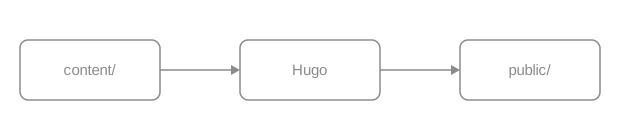
An export that carries an mxfile copy is wrapped in a .drawio container.
A pencil button appears at the bottom right on hover or keyboard focus, and
stays visible on touch devices and in forced-colors mode. Activating it lays a
full-screen iframe over the page and loads the editor the site configured.
When image zoom is enabled, Edit and Zoom are separate sibling buttons;
activating Edit does not open the zoom dialog.
How the copy is detected
The runtime looks at one thing: whether the file’s contents contain mxfile.
The filename is irrelevant. A hand-drawn SVG written exactly the same way — a
block image with the same attribute line — carries no copy, so it gets no
button.
With a caption
Draw.io images go through the ordinary image render hook, so every
image attribute still applies. Add caption for a
captioned figure; the edit button still appears on the image.
As a numbered figure
Add {#id num=…} for a cross-referenceable numbered figure, which xref can
reach and which appears in the list of figures like any other.
The complete numbering and cross-reference rules are in publishing books.
SVG or PNG
Both are recognized. A Draw.io PNG export can carry the same copy in a text chunk, and the runtime’s test is identical.
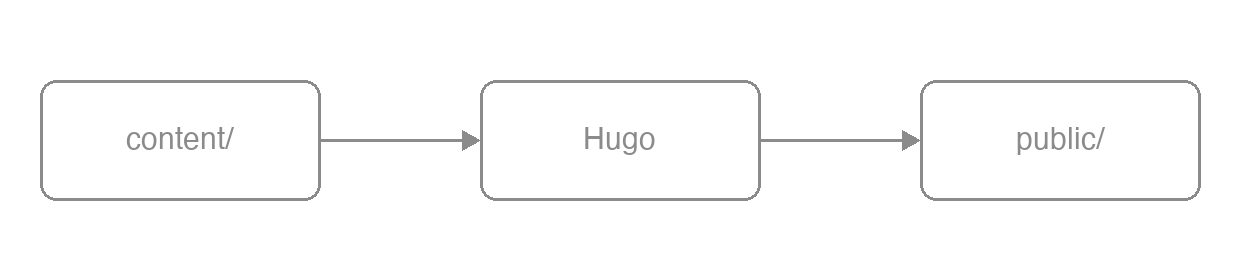
Prefer SVG in documentation: it scales without loss, its text is real text (searchable, readable by screen readers) and its diffs are legible. Use PNG when the diagram is very complex or the target platform cannot take SVG. Only PNG can go through Hugo’s image processing; operations on SVG warn and leave the source unchanged, and strict builds reject the warning.
What the button does
Three things, in order.
Lay an overlay over the page
A full-screen div.drawioframe is inserted holding an iframe whose address is
the configured drawio_server plus a fixed query string
(embed=1&ui=atlas&proto=json&saveAndEdit=1&noSaveBtn=1).
Hand the diagram to the editor
Once the editor is ready, the runtime sends this image’s contents — the mxfile
copy included — into the iframe as a data URL. That step does not go through
your server.
Save and write back
Saving in the editor makes it export in the original format, SVG or PNG, and the
browser downloads it under the same name. The runtime never writes to the
repository: overwrite the file in content/ with what you downloaded and commit
it yourself.
The edit button is there so a reader can take the diagram away and change it. It is not online editing of the site.
The editor address
enable: truewithoutdrawio_serverwarns and disables editing; strict builds fail on that warning. The theme does not pick a public service.- The address must be an HTTP(S) URL or a local path. Local paths honor the
deployment subpath in
baseURL. Whitespace, control characters, raw backslashes, protocol-relative URLs (//host/), and other schemes warn and disable editing; strict builds reject the warning. - When editing has to stay inside the organization, deploy a self-hosted editor and point at it.
- The public endpoint
https://embed.diagrams.net/works, and the reader’s diagram then travels to a third-party page.
Both keys are defined in Configuration.
Output
| Output | Shape |
|---|---|
| HTML | A plain <img> or <figure>; once enabled, the runtime wraps an image that carries a copy in <div class="drawio"> and adds the button |
| The image prints as usual; this output loads no Draw.io runtime and creates no edit button | |
| Markdown | Plain Markdown image syntax |
| RSS | A plain <img> with an absolute URL and no button |
The image itself exists in all four states; the edit button is an increment on top.
Parameter reference
There are no fence or shortcode parameters of its own. The image attribute line
is the one from Images: caption, width, height,
link, #id, num, command, options.
Site parameters (hugo.yml):
Limits
- The runtime loads only when rendered page content contains
.svgor.pngcandidates. It groups matching images by URL, then reads each URL once to look formxfile. - Forget to tick “Include a copy of my diagram” on export and the image is just an image, with no button.
- Editing needs the editor and never writes back: offline, the images display fine and the button does nothing; saving is a browser download, and replacing the file and committing it are manual.
- Colours do not follow the colour scheme: an exported SVG has fixed colours.
Set fills to
noneand use neutral greys for lines and text and it reads in both modes.
Related
- Images — captions, numbering, sizing and zoom in full
- PlantUML — the other integration that needs a server
- Mermaid — diagrams from text with no server at all
- Configuration — the full definition of
params.drawio.*