Publish posts and release notes
6 Publish posts and release notes
Documentation answers “how”, and it stays current. A blog answers “what
changed, and why”, and it is dated. OINK gives the blog its own shell: posts
ordered by date, authors with profile pages, series that read in order, a feed
per section and share links at the end. The Starter already has a blog under
content/blog/; this chapter writes Acme DB’s first real post and its 3.0
release notes.
Write a post
A post with its own image is a page bundle: a directory holding index.md and
the image. Put it in the Starter’s post/ subsection:
content/blog/post/
- why-monthly-partitions/
- index.md
- index.zh.md
- featured.webpthe post's thumbnail and share image, found by its name
Three keys matter more on a post than on a documentation page. date decides
the post’s place in the index and its feed timestamp, and a post dated in the
future stays out of the build until that day (preview it with
hugo server -F). description appears above the body as the post’s lead, so
write it as a sentence. And the image named featured.webp becomes the
thumbnail on the index and the picture on social cards without any front
matter; images: [cover.png] names a different file.
Authors and series
authors and series are Hugo taxonomies, so the site declares them. Writing
taxonomies replaces Hugo’s defaults, so list tags and categories again:
The post now shows Mei Lin’s byline, linked to a page listing everything she
wrote. That page is the taxonomy term page, and you give it a profile by
writing its _index.md:
Bylines use the profile’s title, or its linkTitle when you want a shorter
name. A series works the same way: posts that name storage-internals show a
strip above the body with their position and a link to the next part, ordered
by series_weight, and content/series/storage-internals/_index.md introduces
the series.
Choose the index
The blog’s front page lists every post, newest first. blog_index sets the
layout and blog_index_toggle lets readers switch it themselves:
| Value | What readers see |
|---|---|
list |
Rows with a thumbnail, date, tags and summary. The default |
cards |
A grid of cards with a cropped cover above each title |
table |
One compact row per post: an archive of everything on one page |
gallery |
Covers at their own proportions, for blogs that are mostly pictures |
With the toggle on, a switch appears beside the title, and L cycles the layouts when keyboard navigation is on. Try it on this site’s blog.
An article that opens on an image
vonng.com opens each article on a full-width image, runs the outline through the text column and drops the sidebar, so the page reads like a magazine. Its home page sets the tone with the same kind of image:
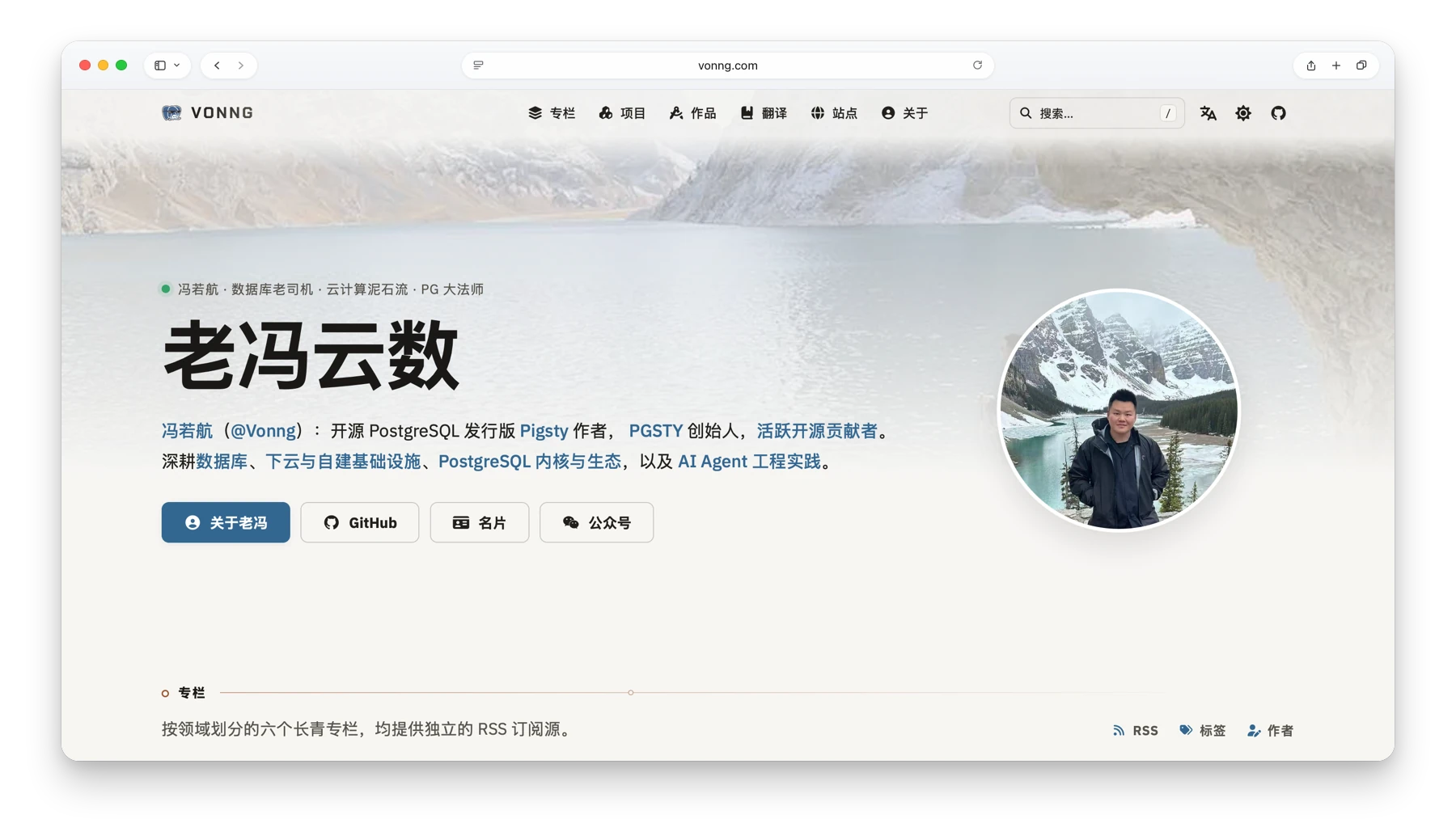
The article layout is four ordinary keys.
A section’s cascade applies them to one column without touching the rest of
the blog:
featured_image takes none, banner, wash or hero; a post without an
image simply shows none. The post is still an ordinary blog post, with the same
feed, byline and series strip. This site’s
Immersive reading post uses exactly these keys.
Announce a release
A version announcement is an ordinary post in blog/release/, with the version
as its short title. One front matter key links the GitHub release, and the
release-card shortcode draws a card with the tag, the date and the source
archives from it:
The release post says when and why something shipped; the docs pages stay the
reference for how to use it. Link from one to the other instead of copying.
Releases and downloads adds asset tables with
checksums and a download page fed from data/download/.
Feeds and sharing
Every section with the RSS output gets a feed, and the Starter already lists
it, so /blog/index.xml carries every post and /blog/release/index.xml only
the releases; the RSS button sits on the title row. Share links are off until
you name the targets:
Each is a plain link or a copy button, and none loads a third-party script. Comments use Giscus once fully configured; see Comments.
Check your work
- The post appears first on
/blog/with its featured image, and the index switches between four layouts with L. - Mei Lin’s name on the post opens her profile, and the series strip shows part 1 of Storage internals.
- With the cascade in place, posts under
post/open on a full-width image with the outline in the text column. /blog/release/index.xmllists the 3.0 release notes.